Resident

Small model. Serious agent.

Resident runs open models on your iPhone and builds around them everything an agent needs. The parts small models are bad at, the app does for them. Your chats stay with you.

Coming soon to the App Store See how it works Source on GitHub

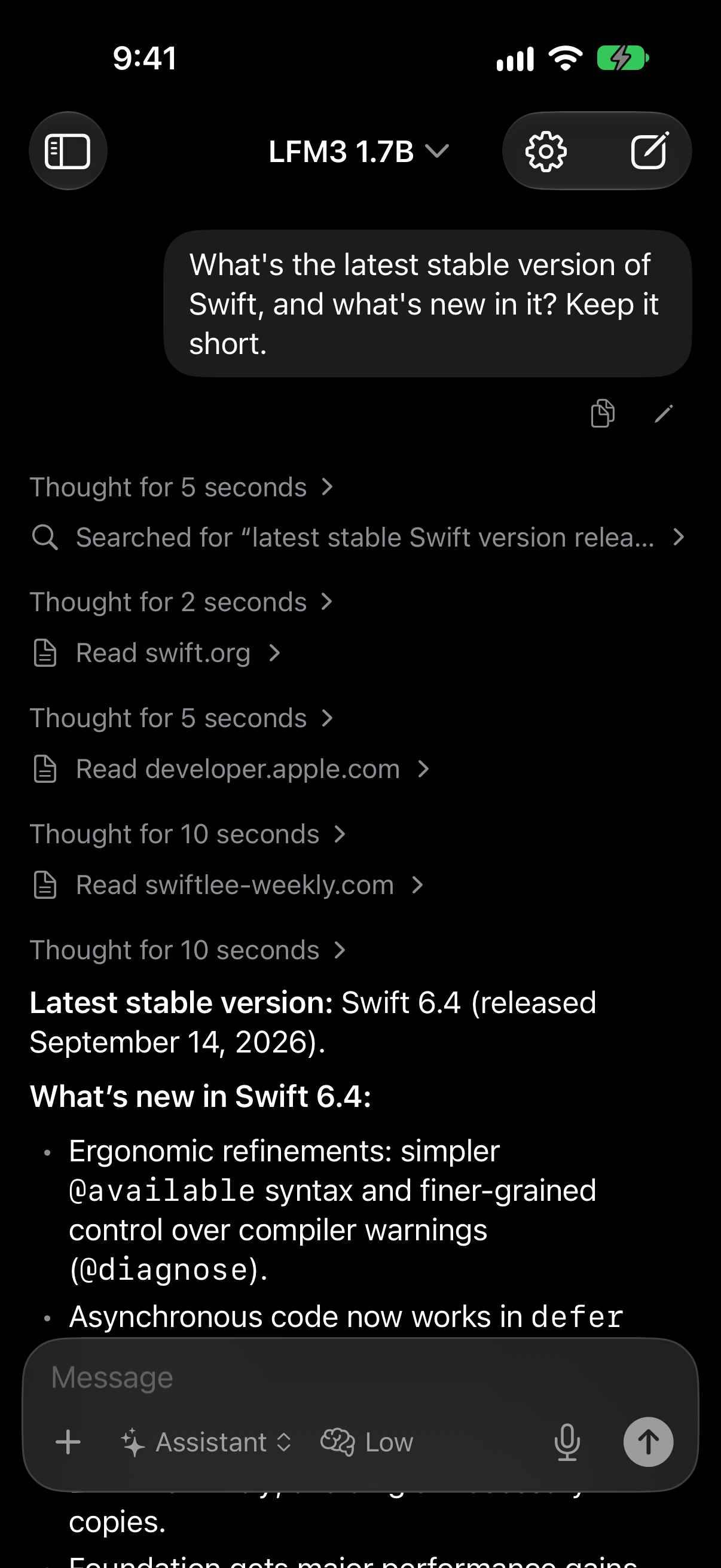
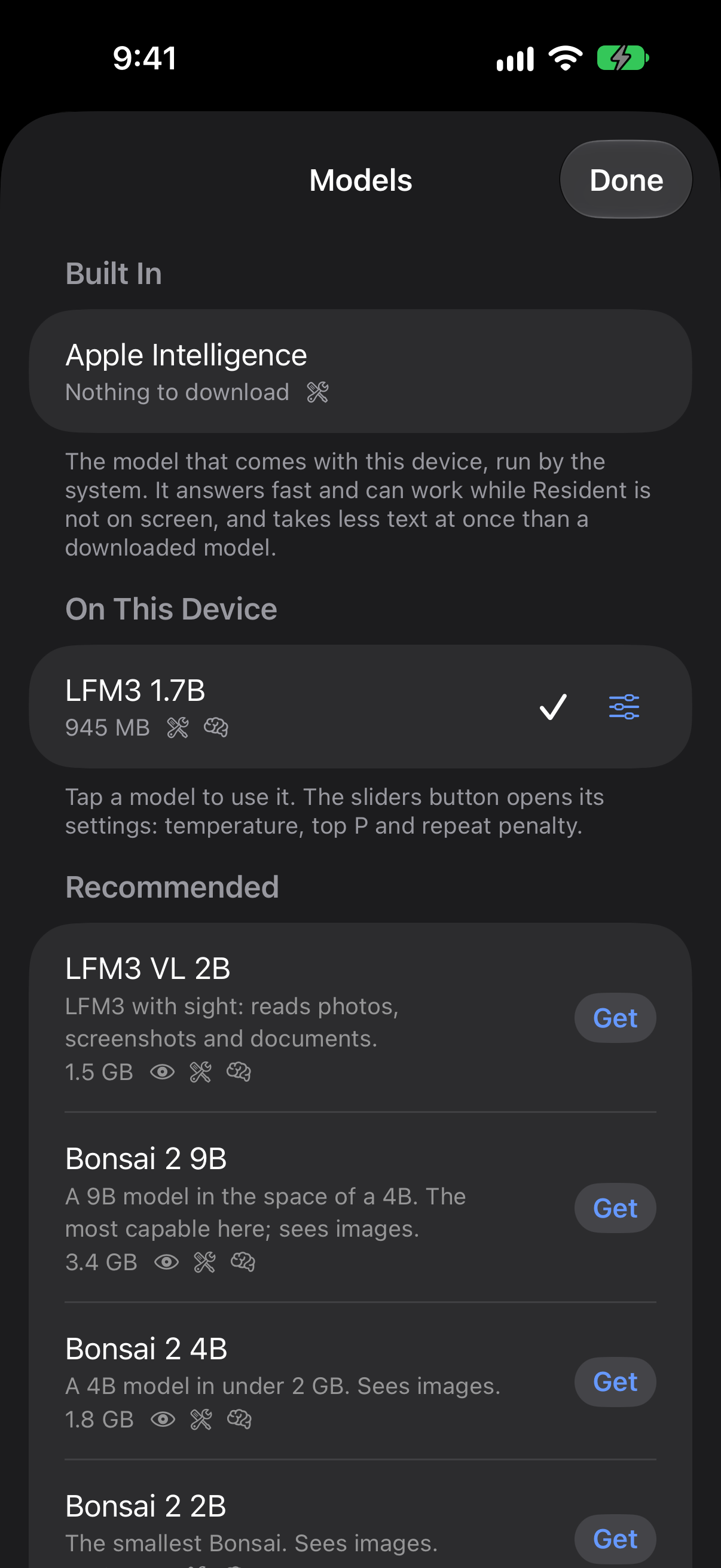
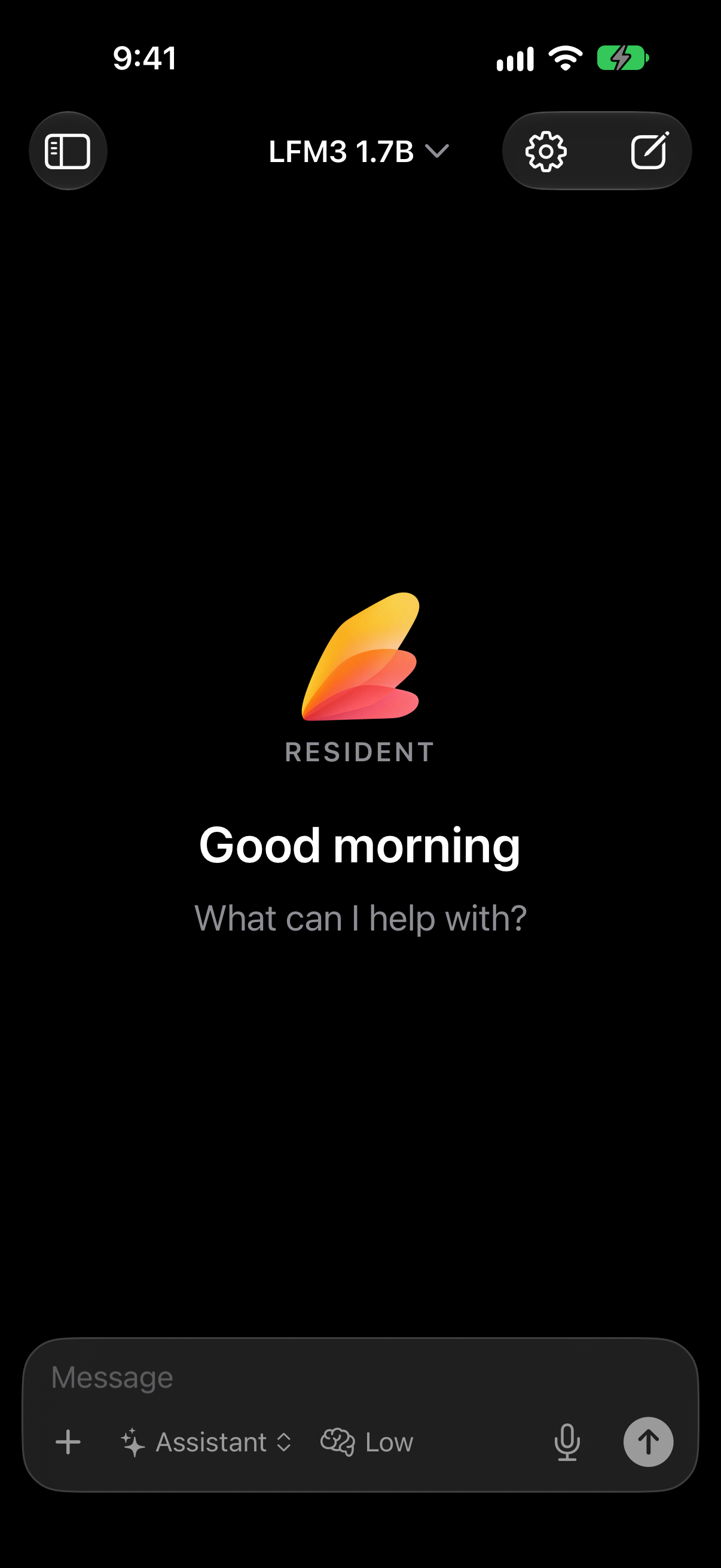
Resident's opening screen, greeting you by the time of day A chat in which LFM3 searches the web and reads three pages before answering The list of models, each marked with whether it fits this device
1 GBis enough to start: the model we recommend first
70 toolsin one connector, and a small model still copes
0accounts, analytics or servers of ours

Why it works

Built for how small models actually behave.

A model that fits on a phone is capable and easily overwhelmed. Give it a long prompt, fifty tools and a page of raw data and it falls over. Most of Resident is the work of not doing that.

Tools appear when they are needed

Describing every tool of a real service takes more text than a phone-sized model can hold. Resident tells the model each connector exists in one line, then opens only the few tools a request calls for. Connect several services and the model still sees a short, clear list.

Answers from tools are made to fit

Ask for your issues and a service sends twenty, each with pages of description. Cut that off and the model sees five and goes round in circles. Resident shortens the long parts first, keeps every item, and says plainly when something was left out.

The chores are done for it

A small model busy answering will not stop to remember a fact about you, name the chat or tidy a long conversation. Resident does each as a short request of its own after the reply, so they happen every time.

It keeps its place

Leave the app mid-answer and the reply holds where it is, then carries on from the same word when you come back. Long chats are summarised behind the scenes, so the tenth question is as quick as the first.

You see every step

Each search, page and tool call is shown as it happens, with what was sent and what came back. When an answer is wrong you can see where it went wrong.

Nothing downloads that will not run

Before a model downloads, Resident works out the memory it needs at full context and checks it against your device. Paste any MLX model from Hugging Face and get a straight answer first.

What it does

An agent, not a chat box.

Looks things up

Searches the web and reads pages when a question needs something recent.

Works it out

Runs code in a sandbox for arithmetic, dates and data, so answers are computed, not guessed.

Uses your apps

Calendar and Reminders on the device. Linear, Notion and anything else that speaks MCP, by pasting an address.

Remembers you

Keeps a short list of lasting facts you mention. Read it, edit it or switch it off.

Learns your way

Turn something it just did into a skill with one tap. You see and approve every skill before it is kept.

Reads what you give it

Photos, PDFs and documents, and dictation by a speech model that also runs on the device.

Agents

Opinionated, and yours to change.

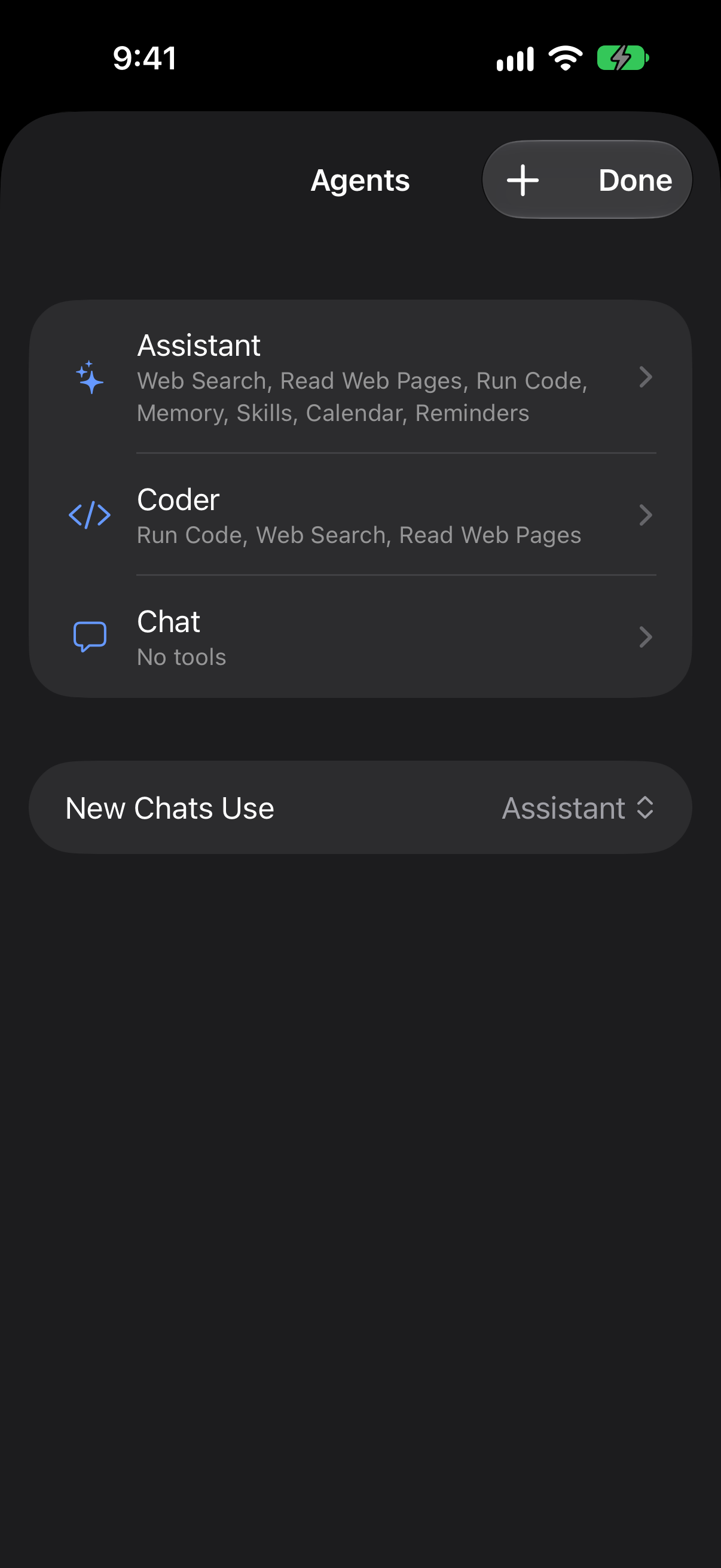
An agent is a set of instructions, the tools it may use and how hard it thinks. Start with the Assistant, switch to the Coder, or make your own for the things you do often.

The defaults are meant to be right. The numbers are there when you want them: temperature and reply length per agent, sampling per model, thinking per chat.

The list of agents: Assistant, Coder and Chat, each with the tools it may use

Automation

Runs from Shortcuts, in the background.

The Ask Resident action takes a message, an agent and a model, and hands back the reply as plain text. A model on your phone answers without the app ever opening. Chain it with anything, or run it on a schedule.

Jobs that take a while show their progress as a Live Activity, with a button to stop them.

Models

The newest small models, and any you bring.

Tested models are a tap away, and any MLX model on Hugging Face can be added by its link.

Liquid AI

LFM3

Small, quick, and the steadiest with tools. A good first download.

PrismML

Bonsai 2

A 9B model squeezed into the room of a 4B. Sees images.

Alibaba

Qwen 3.5

Strong all-rounders that read photos and screenshots.

Google

Gemma 4

Natural writing and good vision in a small footprint.

Built in

Apple Intelligence

Nothing to download. Answers at once, where your device has it.

Hugging Face

Anything in MLX

Paste a link. Resident checks it fits your device before it downloads.

Runs on Apple silicon with MLX. You can also point Resident at a server you run, such as Ollama or LM Studio.

Privacy

Private because it is local.

On your device

The model, your chats, your memory and your skills are files on your iPhone. There is no account to make.

Nothing watching

No analytics and no tracking. Resident has no server of its own to send anything to.

You choose what goes out

Web search and connectors reach the internet only when the agent uses them. Each has a switch, per agent.

Questions

Does it work without the internet?

Yes. Once a model is on your device, chatting needs no connection. Web search, page reading and connectors do, and only when the agent uses them.

Is anything sent to a server?

Not your chats. The model runs on your device, and there is no account and no analytics. When the agent searches the web it sends the search; when it reads a page it sends the address; a connector is sent what a tool is asked. You can switch each of those off per agent.

Which devices does it run on?

iPhone and iPad with iOS 18 or later. Larger models need a recent device with more memory, and Resident tells you which fit before you download. Shortcuts actions need iOS 27, and Apple Intelligence needs a device that supports it.

Which model should I start with?

LFM3 1.7B. It is about a gigabyte, fast, and in our testing the most dependable small model at using tools. If your device has Apple Intelligence you can start with that and download nothing.

What is a connector?

A service the agent can use on your behalf, such as Linear, Notion or your calendar. Connectors use the Model Context Protocol (MCP), so anything that speaks it can be added by pasting its address.

Can it work while I use other apps?

Through Shortcuts, yes. Apple Intelligence can run for as long as a task takes. On iOS 27, a model Resident runs itself can also keep working with the app closed, more slowly than on screen. Shortcuts waits a few minutes for one action, so for long jobs a second action, Wait for Resident, picks up the reply.

Why does a small model work well here?

Because the app does the work a small model is bad at. It keeps most tools out of the way until a request needs them, trims what tools send back so it fits, and handles memory and tidying up with separate short requests.

Resident

Fully local AI agent.

Coming soon to the App Store